✦ Available on the App Store

Learn in Bits

Bite-sized, beautifully formatted facts on history, finance, science, languages and more — delivered straight to your iPhone.

Download on the App Store
Topic Subscriptions Saved Flashcards Knowledge Feed
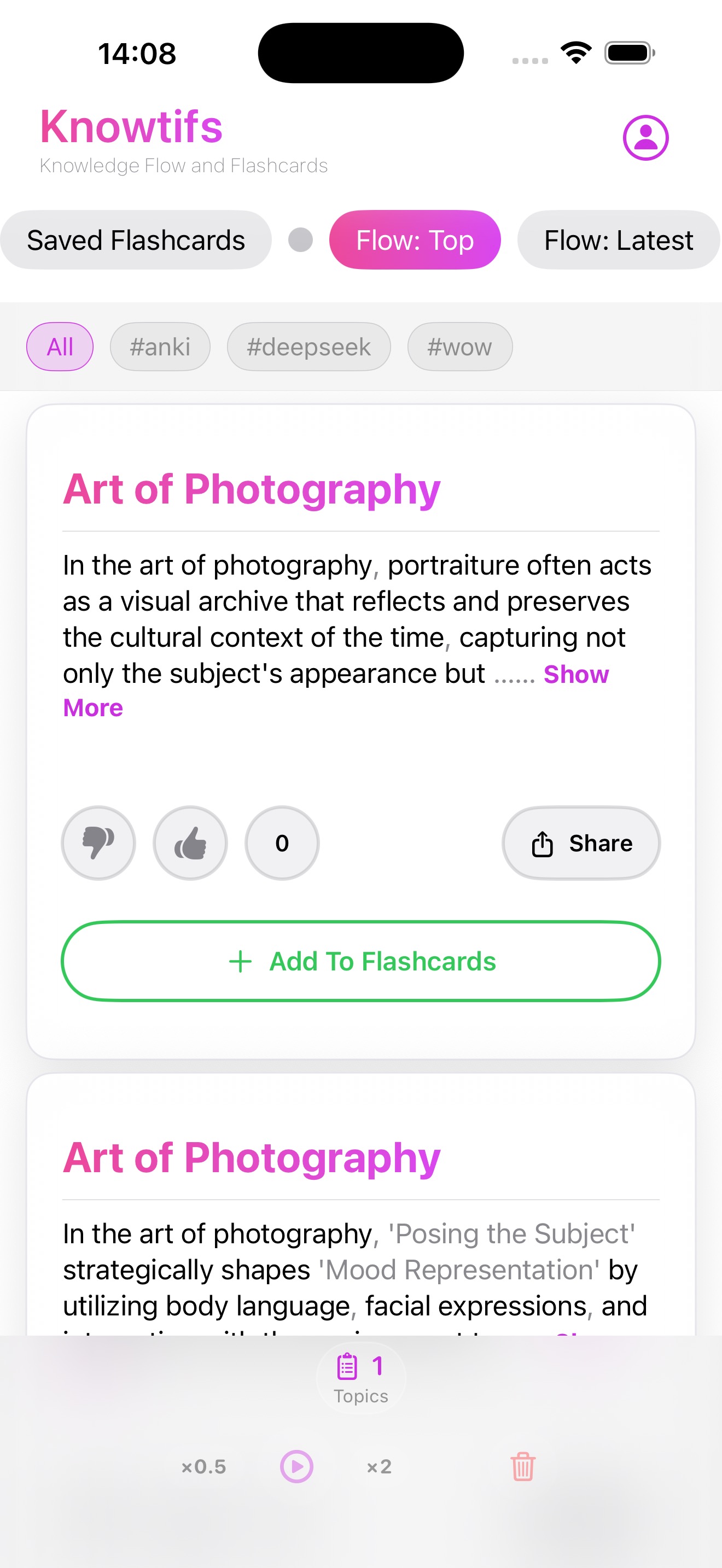
Knowledge Feed

Curated Knowledge Feed

Browse sourced facts sorted by community rating or recency. Rate, share, and save what you love.
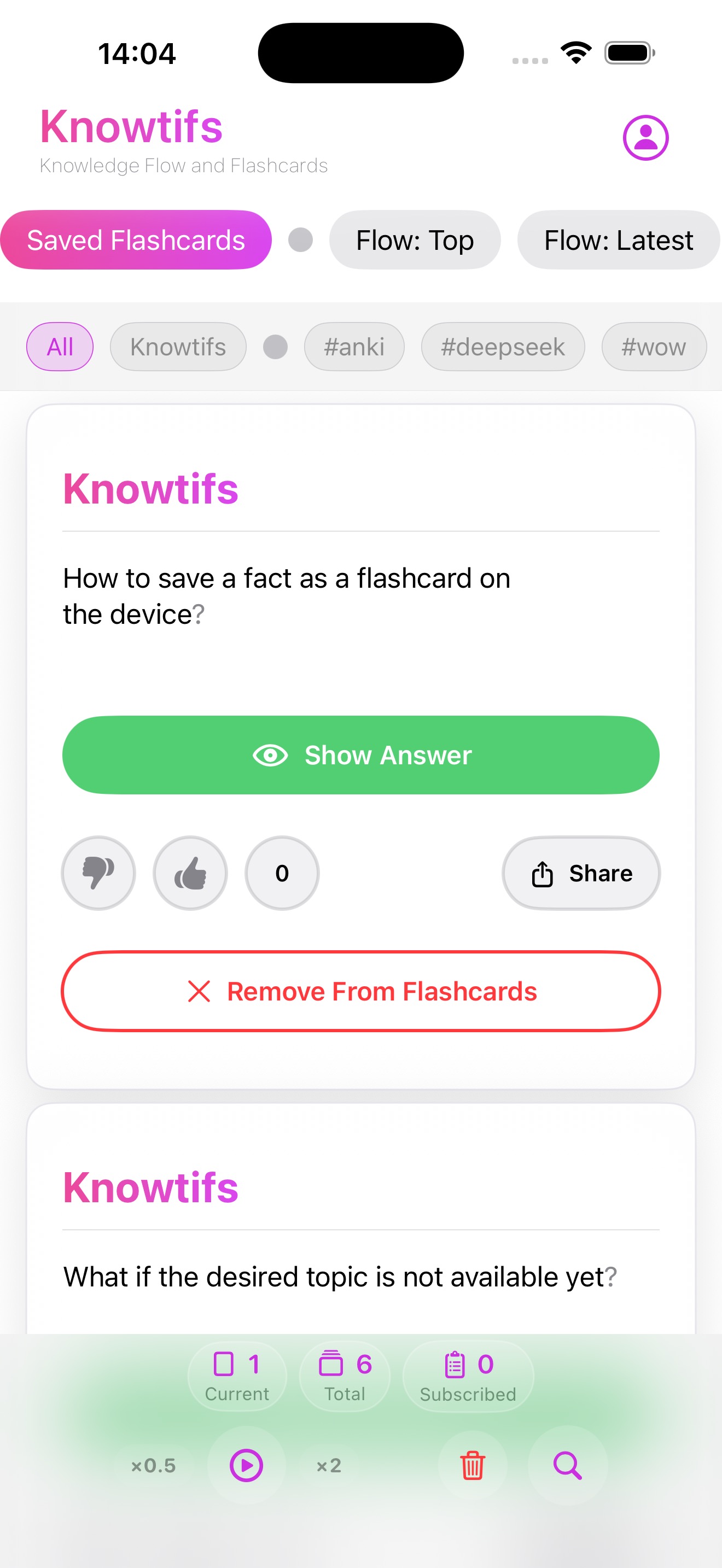
Flashcard Mode

Flashcard Mode

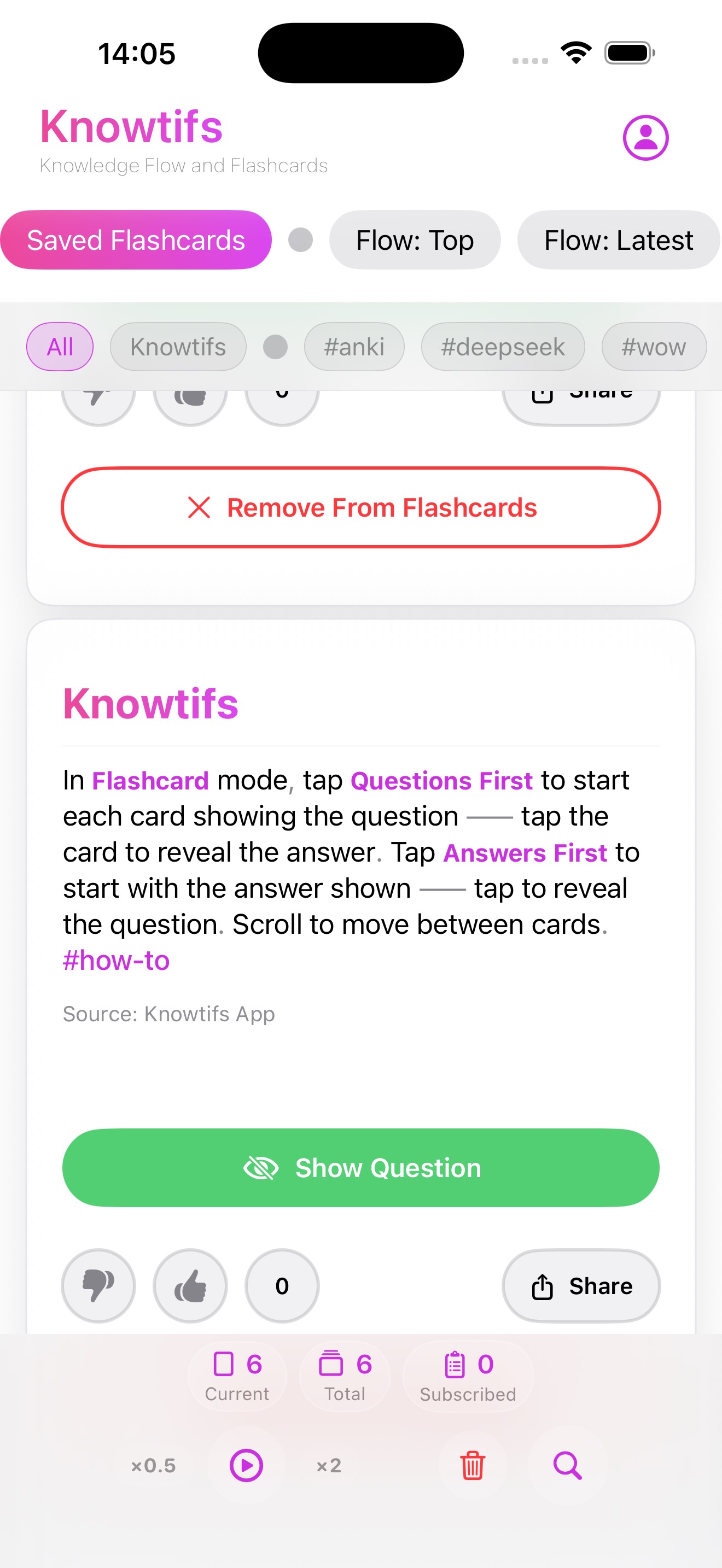
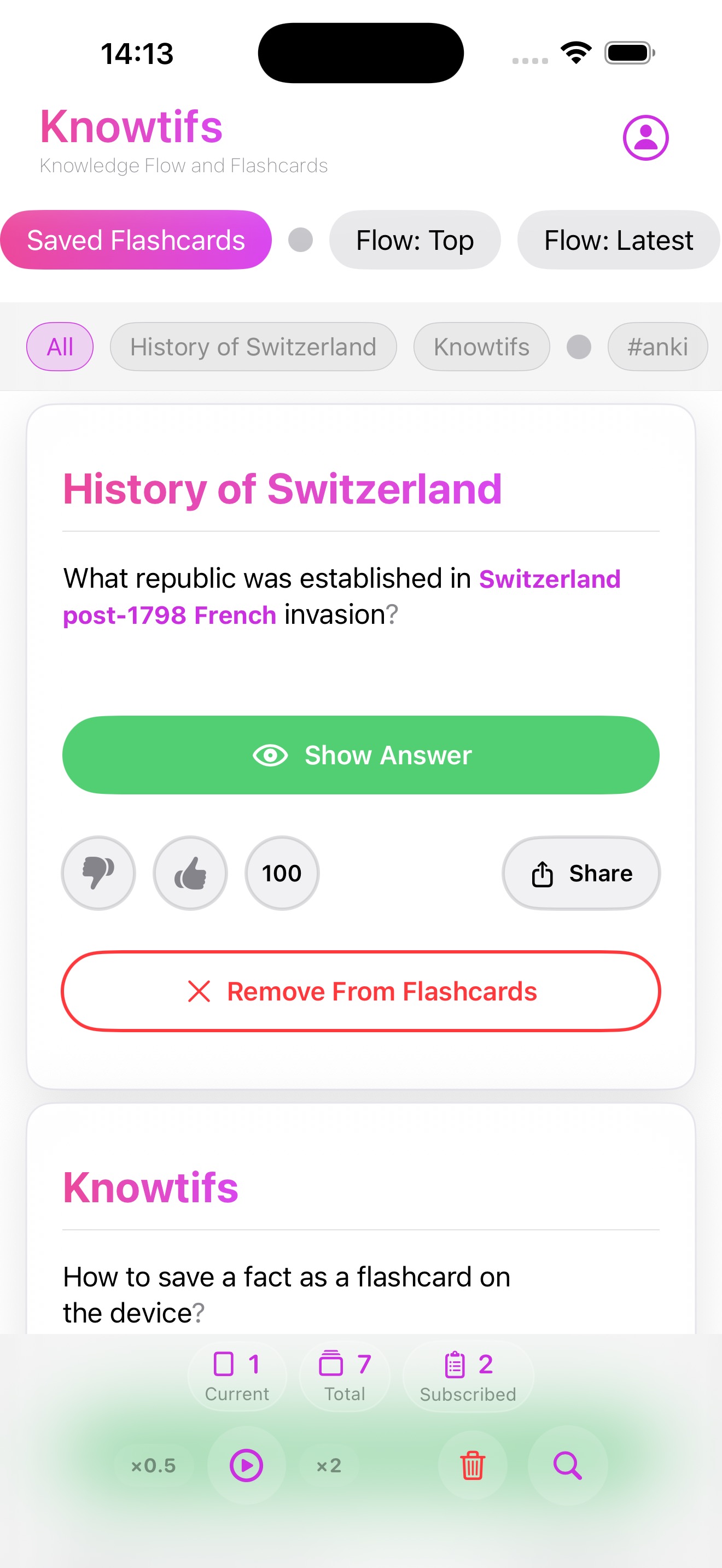
Study saved facts in Q&A mode with Questions First or Answers First. Auto-Advance plays through cards hands-free.

Topic Subscriptions

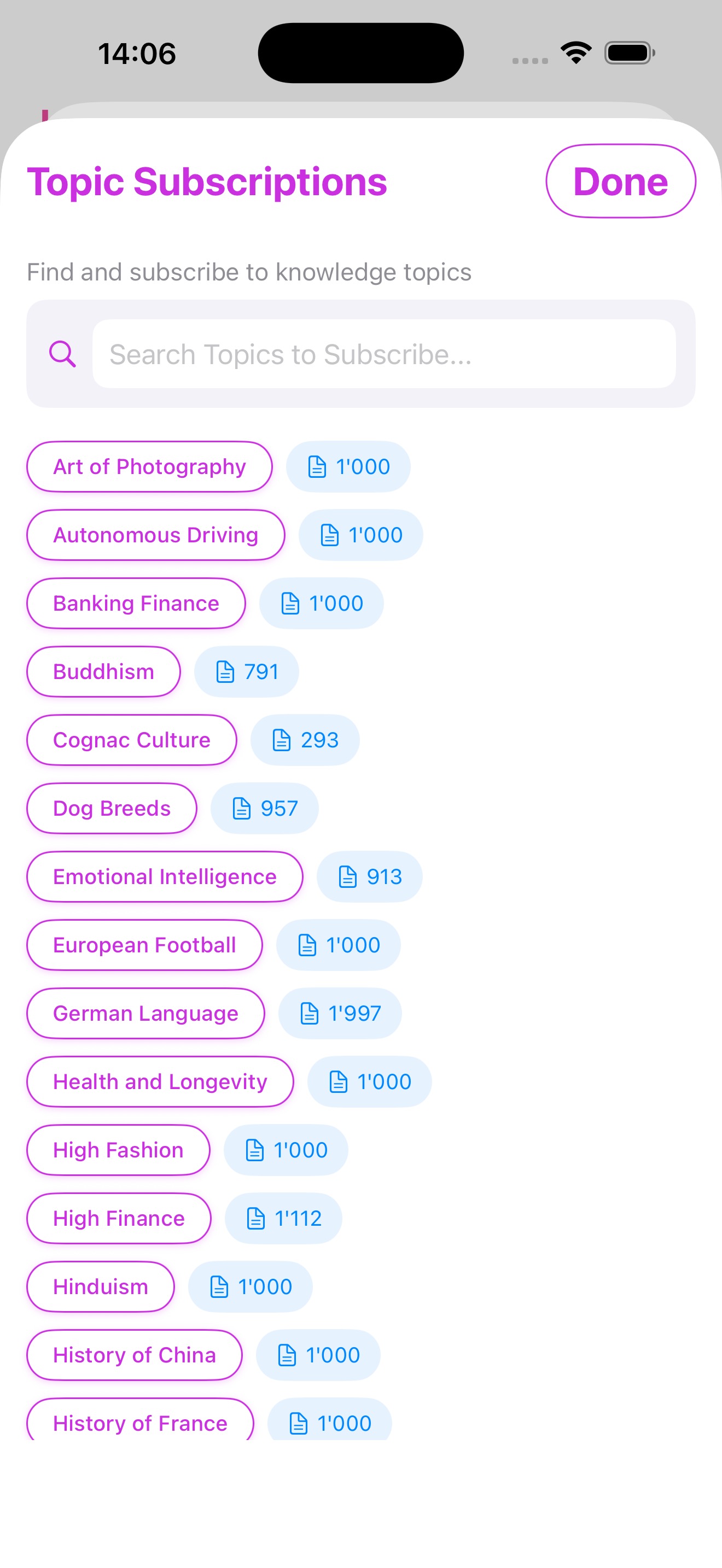
Topic Subscriptions

Subscribe to topics you love — history, finance, science, languages, and more. Thousands of facts per topic.
Import Cards

Import Your Cards

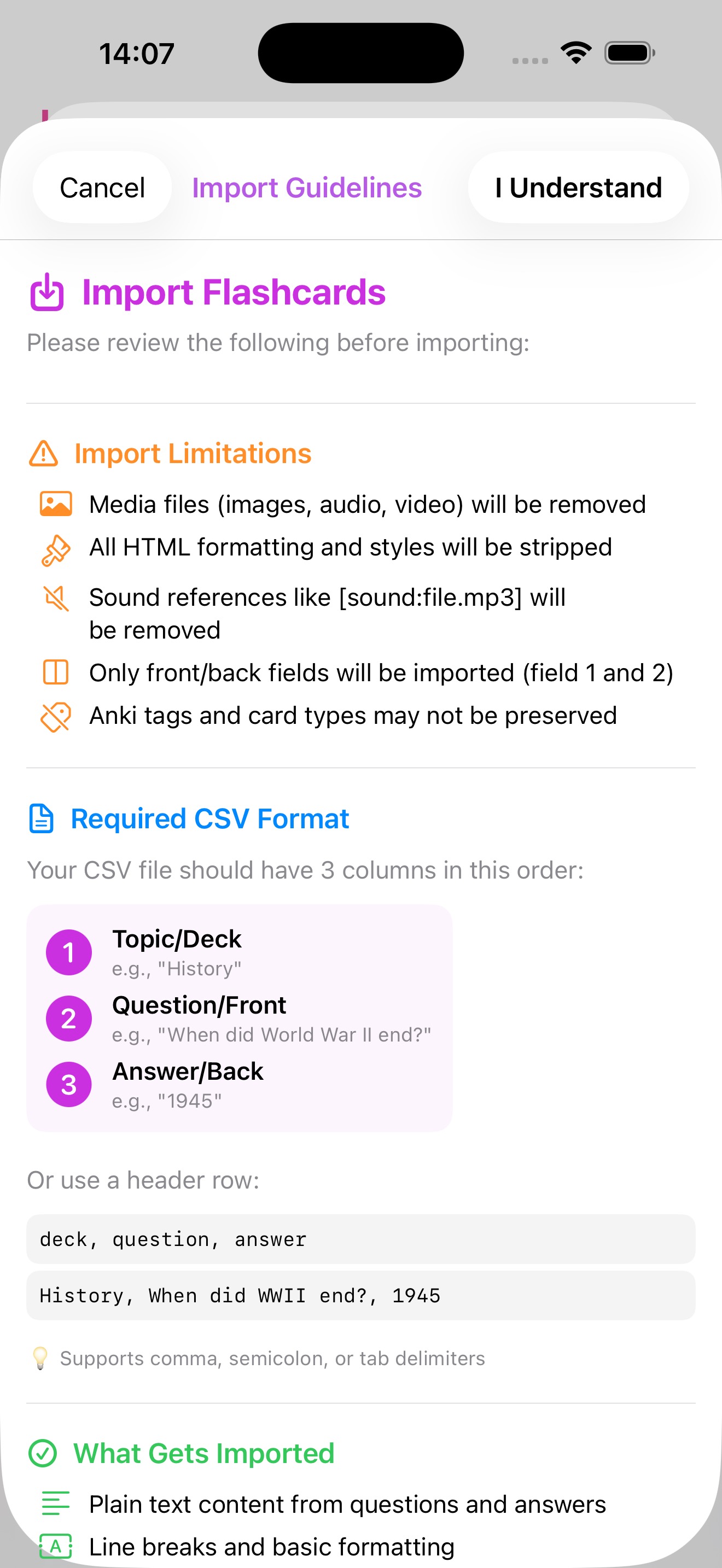
Import Anki decks (.apkg) or CSV files and study them alongside your subscribed topics.
See it in action

Everything flows beautifully

Knowledge Feed 1 2 3 4 5
Knowledge Feed

The smarter way to scroll

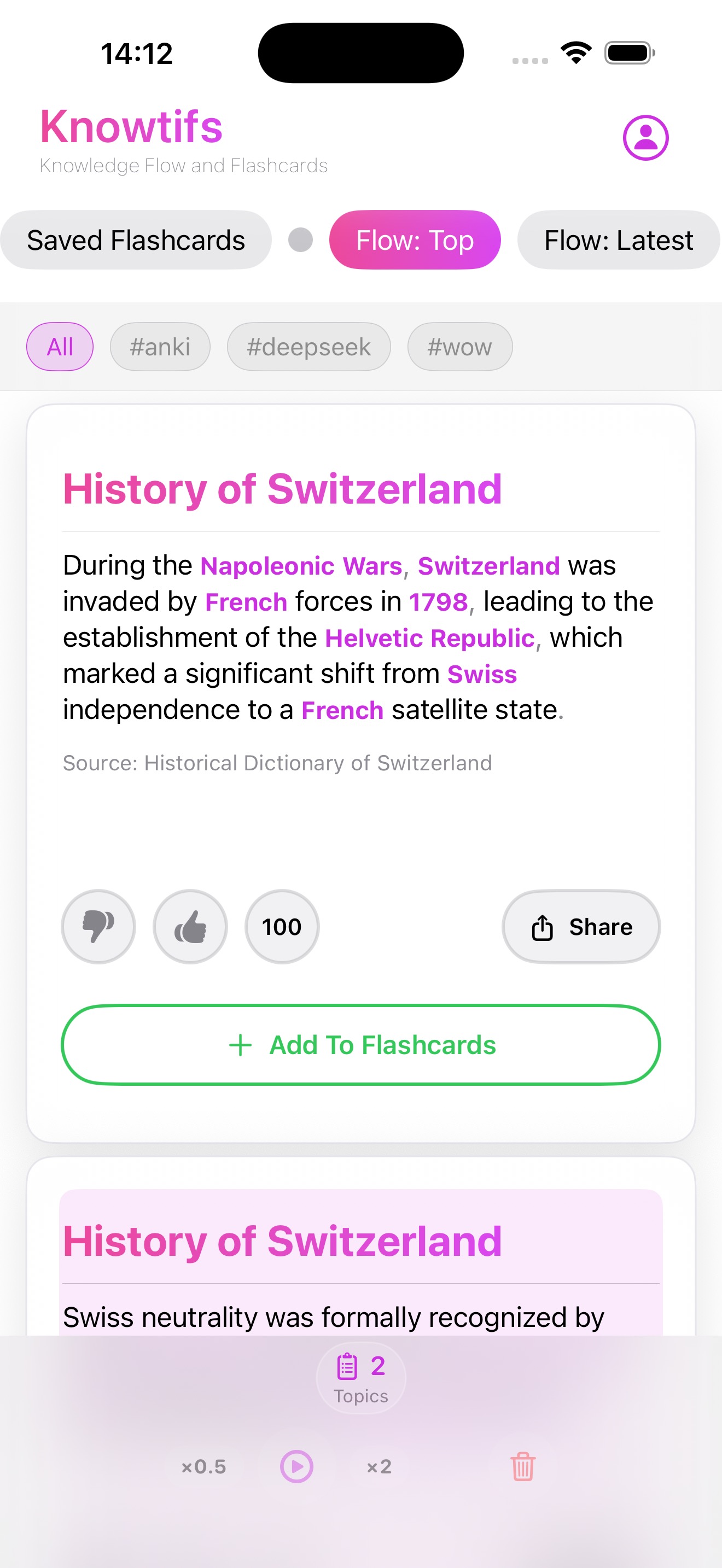
Subscribe to topics and get a continuous flow of bite-sized, sourced facts. Sort by community rating or by recency — always something new to discover.

Every fact feed is built using a proprietary knowledge graph pipeline that queries and cross-validates multiple LLM models — ensuring accuracy, variety, and depth across every topic.

Accuracy may vary depending on the generation pipeline version and the LLM models used. Always verify facts from primary sources when precision matters.
  • 1
    Flow: Top / Flow: Latest Switch between community top-rated facts and the newest additions
  • 2
    Topic & hashtag filters Filter the feed by topic or hashtag to focus on what matters most
  • 3
    Source attribution Every fact displays its source — click through for further reading
  • 4
    Community rating Thumbs up / down helps surface the most valuable facts to everyone
  • 5
    Add to Flashcards Save any fact to your personal flashcard deck with one tap — works offline
Questions First 1 2
Show Answer 3 4
Flashcard Mode

Study smarter with Q&A

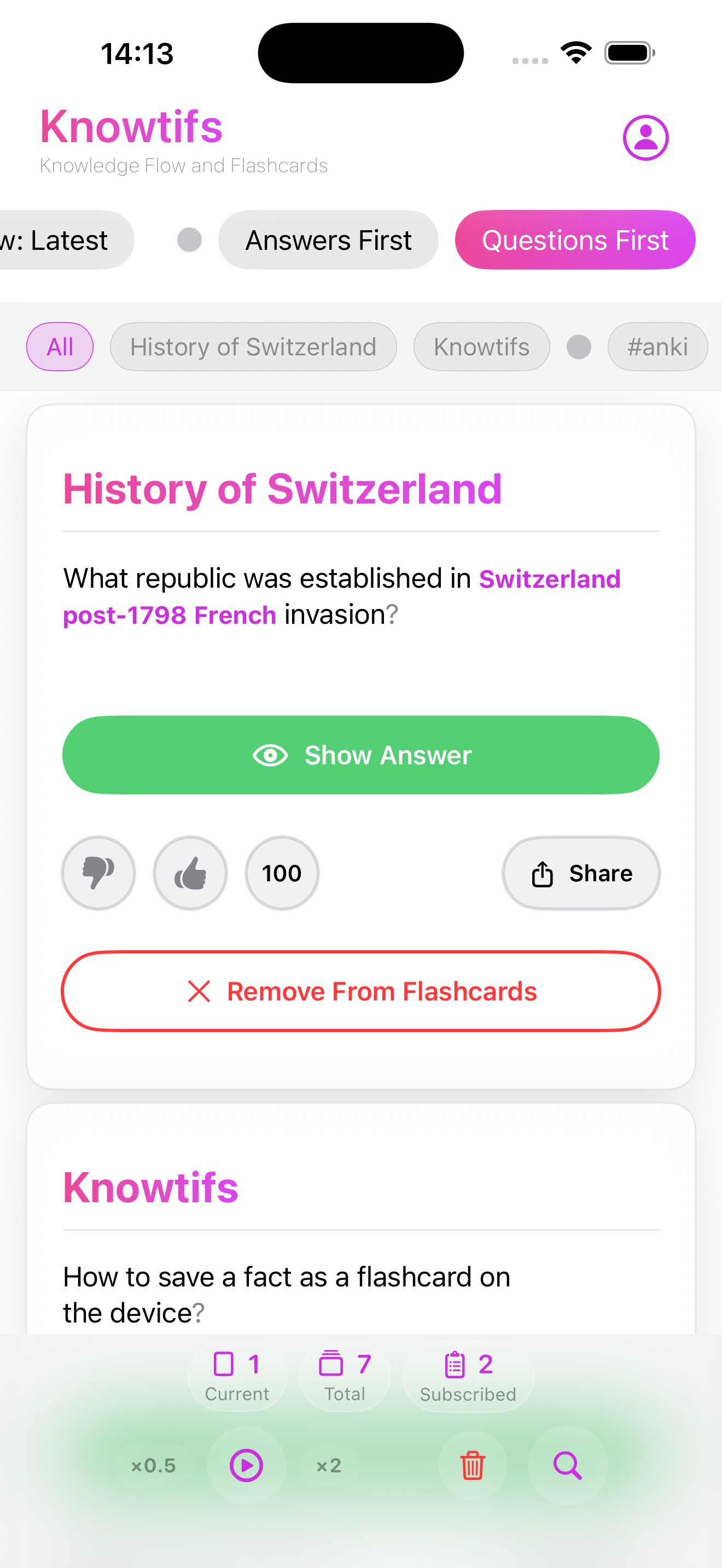
Every saved fact becomes a flashcard. Choose how you want to study, then tap to reveal the other side. Let Auto-Advance do the work while you focus on learning.

  • 1
    Questions First / Answers First Choose which side the card shows first — quiz yourself or review in reverse
  • 2
    Tap to flip Tap the green button to flip the card and reveal the question or answer
  • 3
    Auto-Advance ▶ Press play and the app automatically flips cards and scrolls to the next — hands-free
  • 4
    Speed control Adjust playback speed from ×0.5 to ×2 using the speed control in the toolbar
Topic Subscriptions 1 2 3
Topic Subscriptions

Thousands of facts. Dozens of topics.

From Art of Photography to History of Switzerland — subscribe to the topics that excite you and let the knowledge come to you. Up to two active subscriptions at a time.
  • 1
    Search any topic Find topics instantly — type to filter the full list in real time
  • 2
    One tap to subscribe Tap a topic capsule to subscribe — it highlights when active. Tap again to unsubscribe
  • 3
    Fact count per topic See exactly how many curated facts are available before subscribing
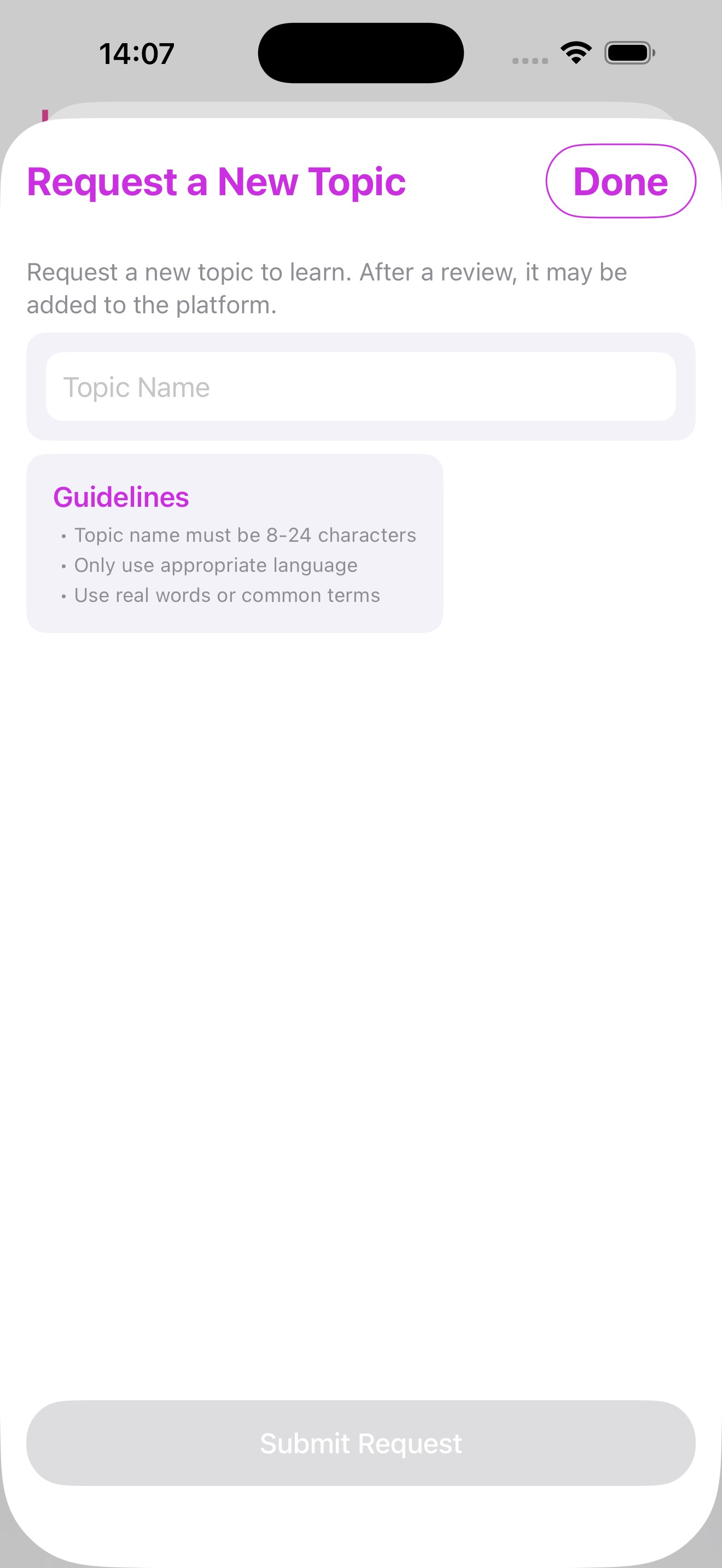
Request a New Topic 1 2
Community Requests

Missing a topic? Request it.

Search for a topic that doesn't exist yet and submit a request. Other users can vote on the most popular requests — the top-voted ones get added to the platform first.

  • 1
    Topic name input Enter the name of the knowledge topic (8–24 characters, real words only)
  • 2
    Editorial review Every request goes through a review before being added. Community votes decide priority
Import Flashcards 1 2 3
Import

Bring your own flashcards

Already studying with Anki or a spreadsheet? Import existing cards into Knowtifs and study them alongside your subscribed topics — all in one place.
  • 1
    Anki decks (.apkg) Import directly from Anki. Text content from questions and answers is preserved; media is stripped
  • 2
    CSV format Three columns: Topic/Deck, Question/Front, Answer/Back. Supports comma, semicolon, and tab delimiters
  • 3
    What gets preserved Plain text and line breaks are kept. HTML formatting, media files, and Anki-specific tags are removed
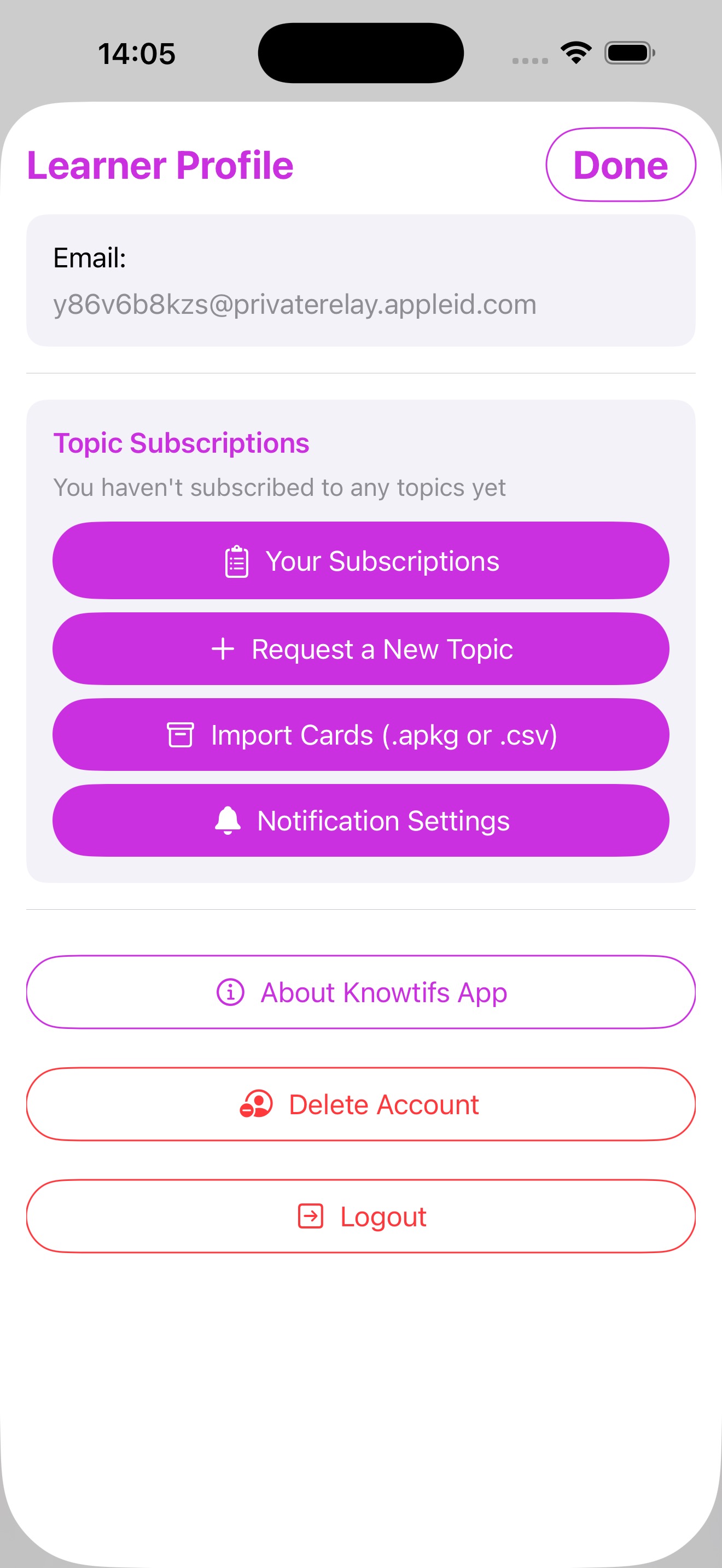
Learner Profile 1 2 3 4
Your Profile

Everything in one place

Manage subscriptions, import cards, configure daily notifications, and control your account — all from the learner profile.

  • 1
    Topic Subscriptions View and manage active topic subscriptions. Switch topics any time
  • 2
    Request a New Topic Submit a request for any knowledge topic not yet on the platform
  • 3
    Import Cards Import Anki decks or CSV files directly from the profile screen
  • 4
    Notification Settings Set a daily notification frequency to stay consistent with your learning habit